In short: to drift with a controller, (1) carry speed into the corner and steer in, (2) break the rear loose with a tap of the handbrake button (A / Cross in DRIFTIT), (3) counter-steer with small stick moves as the tail swings out, and (4) hold the angle with the throttle trigger, mostly in the top half of its pull: deeper opens the angle, lighter closes it. Turn traction and stability control off in games that have them. If your slides die on their own, your thumb is drifting back to the centre of the stick.
Why a pad suits drifting
If the technique itself is new, start with how to drift with a keyboard: handbrake in, counter-steer, hold it with the throttle. The steps are the same on a pad. What changes is the middle step. A held drift is a balance between the rear tyres losing grip to engine power and the front tyres pulling the nose back (our drifting explainer goes through the forces). With a key you can only tip that balance fully one way or the other, many times a second. With a trigger you can sit exactly on it.
So the main skill on a controller is not the stick. It is your right index finger.
The DRIFTIT pad layout
DRIFTIT reads any controller the browser reports with the standard layout, which covers Xbox and PlayStation pads. The browser only shows a pad to a page after you press a button with the page open, so press one before you start (more on that in browser games with a controller).
| Xbox (PlayStation) | Driving | Menus |
|---|---|---|
| Left stick | Steer (analog) | Left / right: choose a track |
| D-pad left / right | Not used | Choose a track |
| RT (R2) | Throttle (analog) | |
| LT (L2) | Brake, then reverse (analog) | |
| A (Cross) | Handbrake | Race |
| B (Circle) | Back to the race | |
| X (Square) | Camera: top-down or chase | |
| Y (Triangle) | Restart the run | Restart |
| Start (Options) | Pause | Race |
The keyboard keeps working at the same time. There is no vibration and no button remapping in the game. The handbrake is a button, not a trigger: it is either on or off.
Hold the pad so your right thumb rests on A and your right index finger on RT. Then the handbrake tap and the throttle sit on two fingers of the same hand and you can do both at once, which is how a drift starts. Your left hand only steers and brakes.
How much trigger actually matters
Power makes the rear slide because a tyre has one budget of grip for pushing forward and pushing sideways. The more thrust you ask of the rear, the less is left to hold the corner. DRIFTIT models that budget as an ellipse, and an ellipse has a property worth knowing: the first part of the pull barely touches sideways grip, and the last part takes most of it. Here is how much of the rear's sideways grip the throttle removes at two speeds, worked out from the game's formulas:
| Speed | 25% trigger | 50% trigger | 75% trigger | 90% trigger | 100% trigger |
|---|---|---|---|---|---|
| 36 km/h | 5% | 18% | 42% | 60% | 60% |
| 72 km/h | 3% | 10% | 20% | 29% | 37% |
Three things follow from that table.
- The top half of the trigger is the drift control. Going from a quarter to half a pull changes much less than going from half to three quarters, which roughly doubles the effect again. Spend your practice in the top half.
- Power oversteer is a low-speed tool. At about 36 km/h a near-full pull already takes the maximum 60% of rear grip. At 72 km/h the engine has less push to give, and full throttle takes only about a third. At speed the trigger alone breaks the rear loose less easily, so start fast drifts with a tap of the handbrake or the swing of a transition and use the trigger to hold them.
- There is a hold point. For a given corner and speed there is a trigger position where the angle stays put. Find it, then make small moves around it: a few millimetres deeper to open the angle, a few millimetres back to close it.
Throttle also changes how hard the car tries to straighten itself. While the rear slides, DRIFTIT pulls the nose back towards the direction of travel, and full throttle keeps only 45% of that pull. Lift to half throttle and it is back to about 70%. That is why lifting is the way to end a drift or start a transition, and why a pad lets you shorten a slide without ending it.
Steering with the stick
In a real car, holding a drift takes a lot of counter-steer, and on a stick that means pushing hard the other way. DRIFTIT does part of that for you. While the rear slides, the game turns the front wheels 82% of the way towards the direction the car is travelling, and your stick acts on top of that, relative to the slide. In practice:
- Stick towards the corner deepens the angle. About a third of the stick's travel towards the corner is enough to switch off the game's straightening help completely, so small pushes go a long way.
- Stick away from the corner reduces the angle.
- Stick released means hands off. After about 0.4 s with the stick centred, the car starts straightening itself and is straight in about two seconds. If your slides end on their own, your thumb is drifting back to the middle.
The stick has a small dead zone (the first 12% of travel does nothing, and the rest is rescaled so you still reach full lock) and only light smoothing, so it responds within a few hundredths of a second. The keyboard, by contrast, ramps the steering in over about a sixth of a second. If you press a steering key while holding the stick, the key wins.
Steering lock also shrinks with speed: 35.5° at a standstill, 20° at 72 km/h, 7° at about 160 km/h. A full stick at speed is not a full turn of the wheels, so do not expect a big push to save a fast slide. Fix it with the trigger.
Stick and trigger vs keys
| Controller | Keyboard | |
|---|---|---|
| Throttle | Analog: hold any angle at part throttle | On or off: hold the angle by tapping W |
| Steering | Analog, near instant | Smoothed ramp, full lock in about 0.17 s |
| Handbrake | A, under the thumb that is free | Space, under the left thumb |
| Best at | Long sweepers, carousels, steady angle | Short, sharp corners and quick flicks |
| Typical mistake | Thumb drifts back to centre mid-slide | Holding W through the whole corner |
Neither is required. Both give the same car, the same times and the same leaderboards. If you mostly play on a laptop, the keyboard guide and our page on keyboard-only games are the ones for you.
Three drills for the trigger
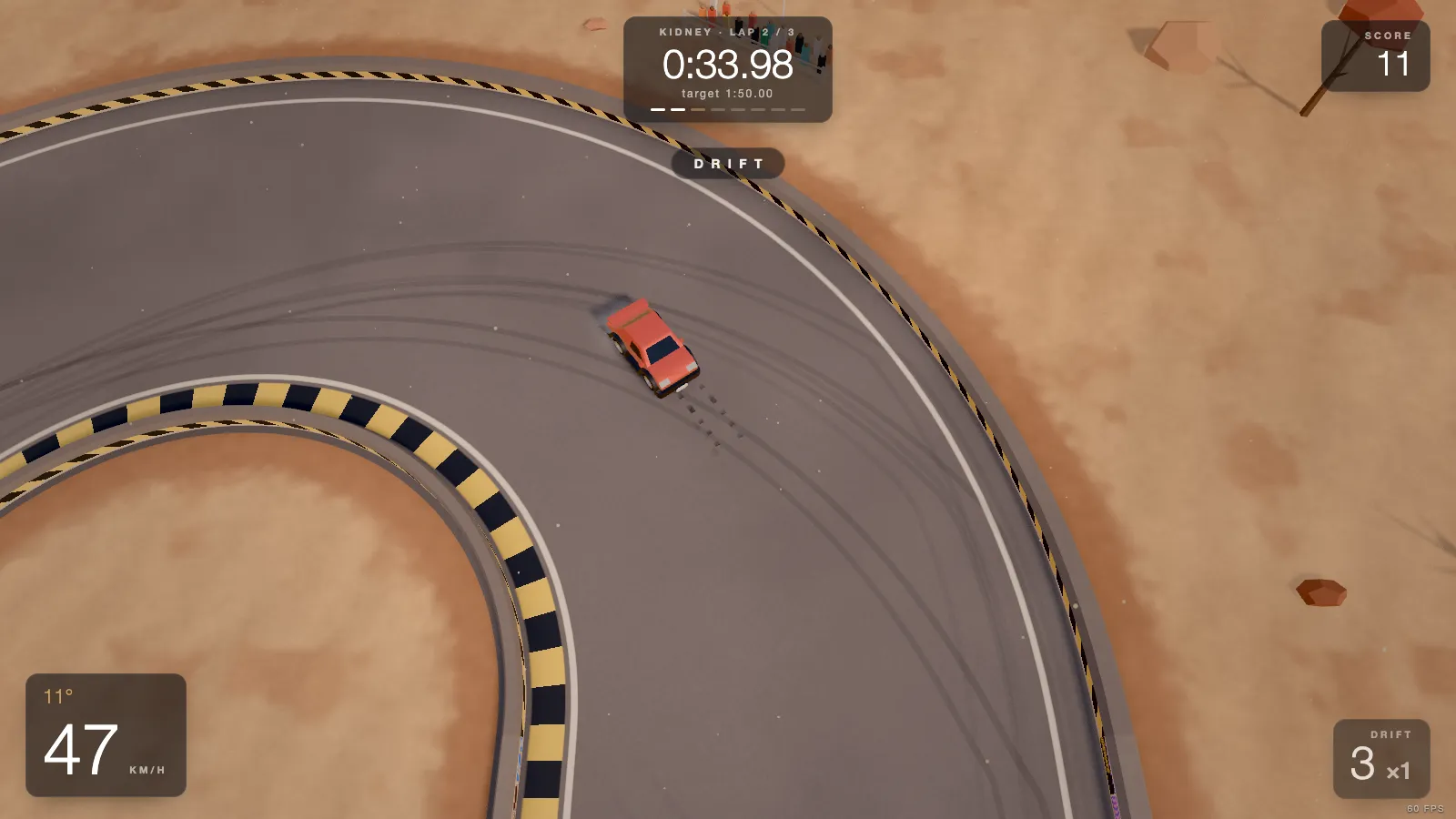
- Find the hold point on the Oval. Two 180° sweepers on a 24 m radius. Start the slide with a tap of A, then try to finish the bend without moving the trigger more than a few millimetres. Watch the drift angle on the bottom-left of the HUD: it should stay within a few degrees.
- Ride the Carousel. 270° on a 36 m radius, the widest bend in the game. The angle you choose at the entry is the one you keep for three quarters of a circle, so this is pure trigger.
- Swap hands on Long Left. Every corner goes the same way, so your counter-steer always goes the same way too. It shows quickly whether you are steering with the stick or with the trigger.
After that, any of the 20 tracks works: they are all open from the start. The corner types guide explains the line through each kind of bend.
General tips for any racing game
These are general habits, not DRIFTIT features. Setting names differ from game to game, so look for the closest match in the options menu.
- Steering dead zone. Many games let you set how much stick travel is ignored at the centre. Set it as small as you can while the car still drives straight with your thumb off the stick. Too large and small corrections disappear; worn sticks may need a bit more.
- Steering sensitivity or linearity. If a game offers it, a setting that makes the centre of the stick less sensitive helps at speed, where tiny inputs matter most. Change it in small steps.
- Assists. Traction control and stability control exist to stop the rear sliding. For drifting, turn them off or down. Some games also have a counter-steer or steering assist; try a session with and without it.
- Gear. In games with gears, holding a gear higher than you would for grip driving keeps the engine from hitting the limiter mid-slide, so the throttle stays smooth.
- One change at a time. Run the same corner a few times after each settings change. Feel improves with practice anyway, so if you change three things at once you will not know which one helped.
Controller drifting FAQ
Is it easier to drift with a controller or a keyboard?
A controller gives you analog throttle and steering, so you can hold a drift at part throttle instead of tapping a key on and off. Most players find long, steady slides easier on a pad. A keyboard is fine for short, sharp corners, especially in games that smooth the keys for you.
How do you hold a drift with a controller?
With the throttle trigger. Once the rear is sliding, a deeper pull makes the angle grow and a lighter pull lets it shrink. Keep the stick near the direction of travel and make small corrections; most of the angle control is in your right index finger.
What button is the handbrake on a controller?
It depends on the game. In DRIFTIT it is A on an Xbox pad (Cross on PlayStation), with RT throttle, LT brake, left stick steer, Y restart, X camera and Start pause.
What controller settings help drifting?
In games that offer them: a small steering dead zone (just enough that the car drives straight with your thumb off the stick), assists like traction and stability control switched off or low, and a steering sensitivity you can control at speed. Change one setting at a time.
Does DRIFTIT support Xbox and PlayStation controllers?
Yes. Any controller the browser reports with the standard layout works, including Xbox and PlayStation pads. Press a button once after opening the page so the browser lets the game see it. There is no vibration.
Why can't I drift with a controller?
Usually one of three things. Traction or stability control is still on and stops the rear sliding. The throttle is held at full, so the car spins instead of holding an angle. Or the thumb drifts back to the centre of the stick mid-slide and the car straightens. Turn the assists off, ride the top half of the trigger, and keep a little counter-steer on the stick.
How do you start a drift on a controller?
Carry some speed into the corner, steer in, then break the rear loose: tap the handbrake button, lift off and back on the throttle, or swing the car the other way first (a feint). As the tail steps out, steer the stick the other way and pick up the throttle trigger to hold the slide.
Once a steady angle feels easy, the next step is joining slides together: see how to link drifts. Playing on a handheld? Drift games on Steam Deck lists which ones Valve rates Verified.