How a controller works in a browser
Browsers expose controllers to web pages through the Gamepad API. It has been in Chrome, Edge, Firefox and Safari for years (MDN marks it "widely available" since 2017), so the browser is rarely the problem. The page reads the pad's buttons and sticks many times a second, the same way it reads the keyboard.
To make different controllers behave alike, the W3C spec defines a "standard" layout: 17 buttons and 4 axes in fixed places. Button 0 is always the bottom face button (A on Xbox, Cross on PlayStation), the triggers are 6 and 7, the D-pad is 12 to 15, and the two sticks are the four axes. When the browser recognises your controller, it remaps it to this layout and a game written for an Xbox pad works with a PlayStation pad too.
"Controller not detected": press a button
This is the one that confuses everyone. A page cannot see your controller until you press a button or move a stick while the page is open. Until then the browser reports no pads at all. It is a privacy rule written into the spec: the list of devices plugged into your computer could otherwise be used to fingerprint you.
- Connect the controller (USB cable or Bluetooth) and check your computer sees it.
- Open the game in a tab and click into it once, so the tab is in front.
- Press any button, A or Cross is fine. Most games react within a second.
- Still nothing? Open a gamepad tester like hardwaretester.com/gamepad in another tab and press buttons. If the tester sees the pad, the game is the issue (it may not support controllers). If the tester sees nothing, it is the connection or the browser.
Xbox, PlayStation and your browser
- Xbox controllers are the safe choice. Microsoft documents them working in Edge over USB or Bluetooth, and Chrome behaves the same way.
- PlayStation controllers (DualShock 4, DualSense) connect over USB or Bluetooth and Apple lists PlayStation pads among the controllers that pair with a Mac. Their mapping has been less consistent: Firefox had a bug where the DualSense D-pad and right stick were wrong, fixed in recent versions. If something is mapped strangely, try Chrome or Edge.
- Safari supports the Gamepad API on Mac and iPhone; controllers paired with the Mac show up in Safari like in any other browser.
- One tab at a time. A background tab does not get pad input in some browsers. Keep the game tab in front.
Free browser games with real controller support
Portals tag lots of games "controller", but a portal tag is not the developer saying so. Every game below has support we could confirm in its source code, its itch.io page or its documentation.
1. DRIFTIT: drifting on analog triggers
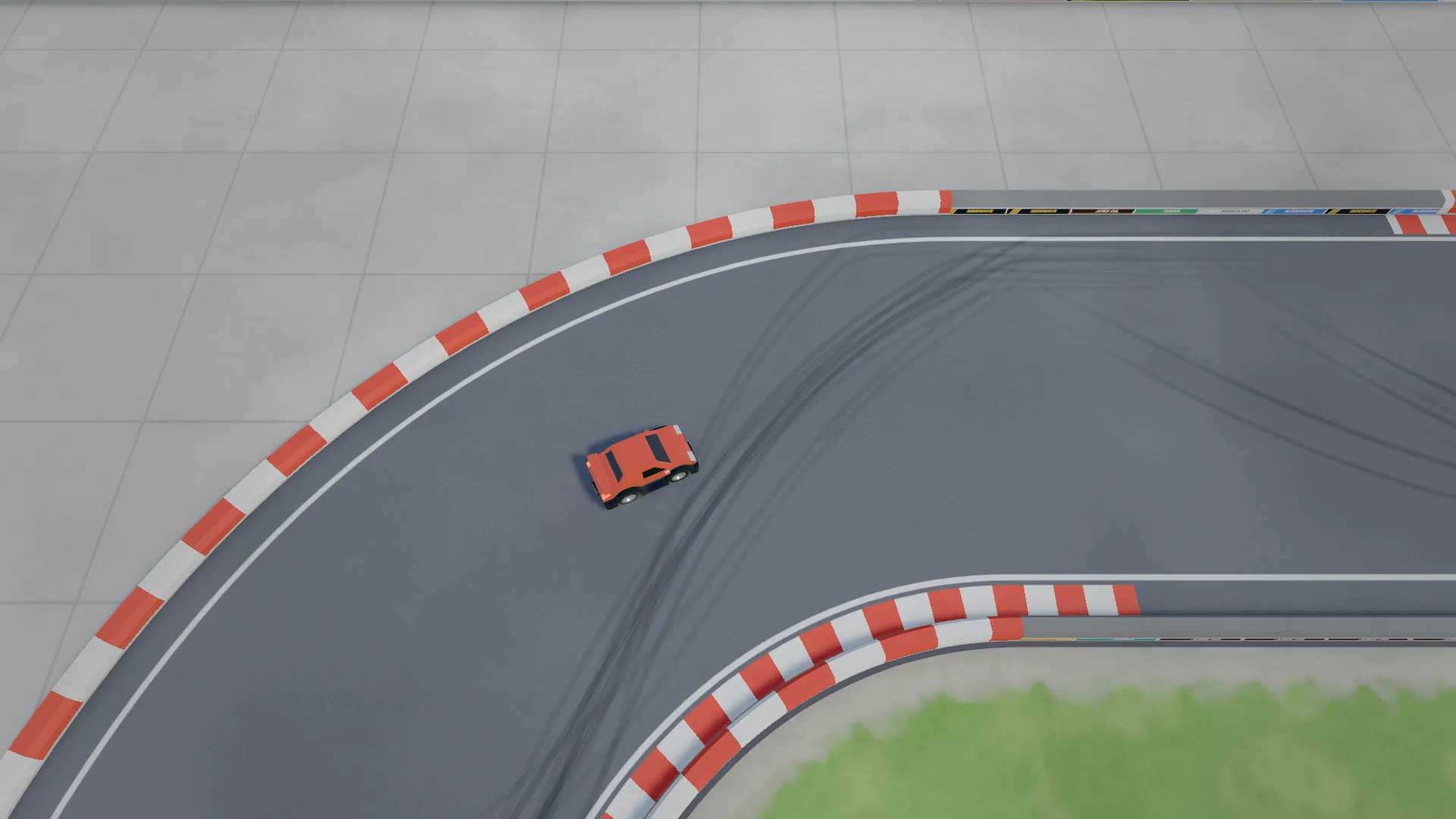
Ours. A top-down drift game with 20 tracks, ghosts and online leaderboards, and the pad is a first-class way to play it. The triggers are read as analog values, so you can feather the throttle mid-slide, which is exactly what holding a drift angle needs (our drifting explainer shows why).
| Input | Driving | Menu |
|---|---|---|
| Left stick | Steer | Pick a track (left/right) |
| D-pad left/right | (not used) | Pick a track |
| RT / R2 | Throttle (analog) | |
| LT / L2 | Brake (analog) | |
| A / Cross | Handbrake | Race |
| B / Circle | Back to the race (pause menu) | |
| Y / Triangle | Restart | Restart (pause menu) |
| X / Square | Switch camera | |
| Start / Options | Pause | Race |
The keyboard works at the same time, so you can switch mid-session. It runs in any desktop browser with nothing to install.
2. HexGL
A WipEout-style anti-gravity racer built with three.js by Thibaut Despoulain. Its open-source code includes a gamepad controller, and the game's control menu offers keyboard, touch and gamepad. Development has been on hiatus for years, but it is still one of the best-looking racers in a browser.
3. Vampire Survivors (free web version)
Before it became a hit on Steam, poncle released an early version on itch.io that you can still play free in the browser. Its itch.io page lists gamepad support alongside keyboard, mouse and touch. Move with the stick; the attacks are automatic.
4. Friday Night Funkin'
The rhythm game that took over school computers. Its itch.io page runs in the browser and lists keyboard, Xbox controller, any gamepad, and even a dance pad as inputs.
5. Shell Shockers
A multiplayer shooter where everyone is an egg, by Blue Wizard Digital, played at shellshock.io. It has controller bindings (jump, fire, aim) on the pad, documented on its Wikipedia page. Expect a learning curve: aiming with a stick is harder than with a mouse.
6. Slow Roads (steering wheels)
The endless relaxing drive at slowroads.io. Its developer has said the browser version already supports steering wheels (without force feedback); improved controller support is one of the extras of the paid Steam version. A good one to try if you have a wheel on your desk.
Finding more
itch.io lets you filter browser games by input: HTML5 games tagged "Gamepad (any)" are developers saying their game reads a pad. Add the racing tag for driving games. For keyboard players there is the opposite list: games you can play with only a keyboard.
Quick answers
Do I need an app or extension? No. If the game supports the Gamepad API, the browser does the rest. Extensions that "turn your keyboard into a controller" solve a different problem.
Does vibration work? Some browsers can make a pad rumble, but support differs and most browser games do not use it. DRIFTIT does not.
Can I play on a TV? If your TV or console browser supports the Gamepad API, maybe; it is easier to plug a laptop into the TV and use the pad from the sofa.
Want to understand what you are doing with those triggers? Start with how to drift and pick an easy track like the Oval. More free games that need nothing installed: games without downloading.